How SideEye predicts which monitor you are looking at
Combining bundled MediaPipe 3D landmarks, an additive head-plus-eye model, ridge regression calibration, and fail-open rules — without a byte leaving your Mac.
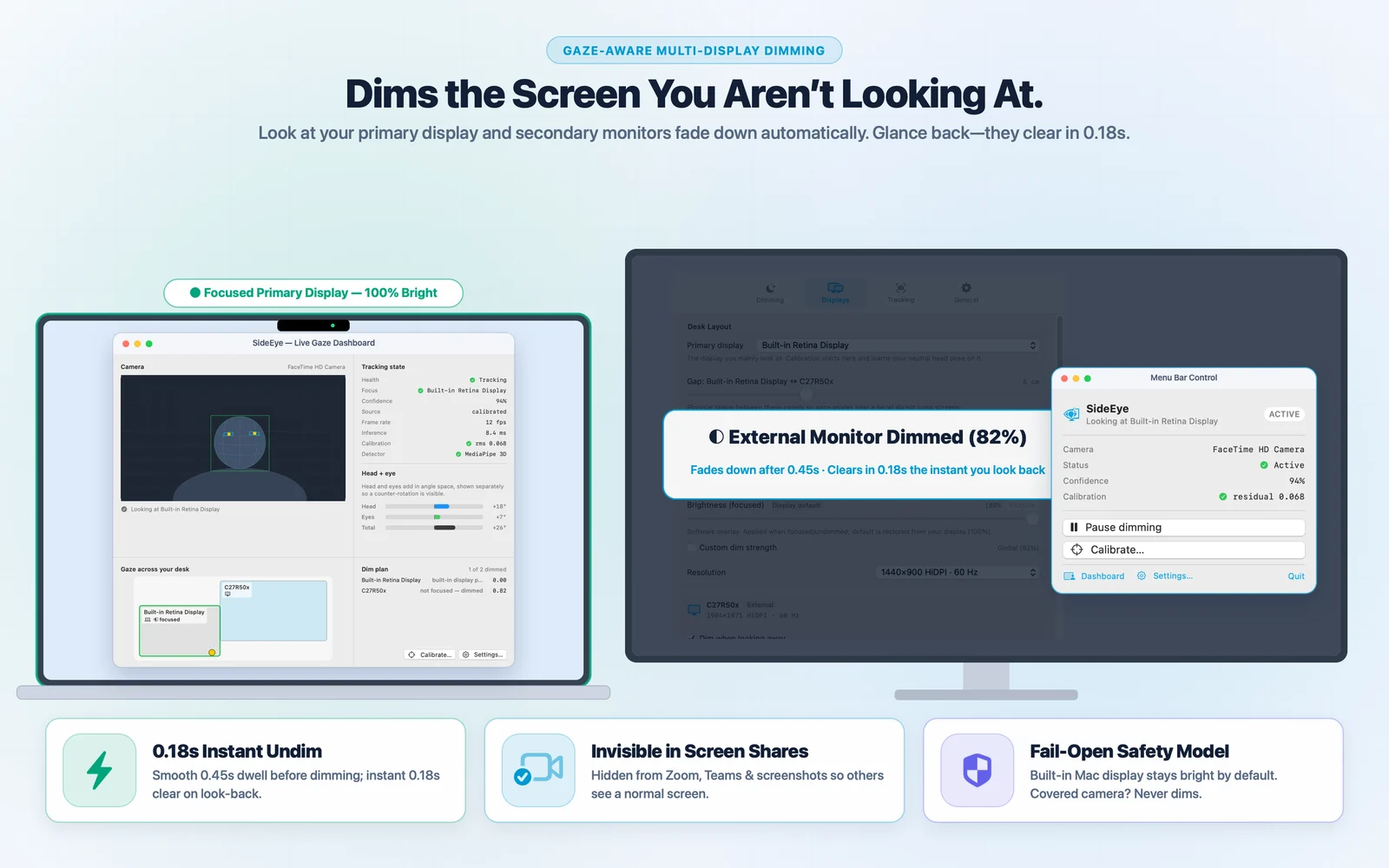
Multi-display setups have an unspoken glare problem: whenever you focus on an editor or document on one screen, the bright Slack thread or terminal on the adjacent monitor keeps pulling your peripheral vision. Hardware brightness keys are global or slow to reach.
We built SideEye so unused screens dim automatically as soon as your attention moves away — and snap back to full brightness the instant you glance back.
Two engines, one pipeline
SideEye ships two selectable tracking backends in Settings → Tracking:
- MediaPipe 3D (default): Bundled Google MediaPipe Face Landmarker CoreML models (
MediaPipeFaceDetector,MediaPipeFaceLandmarks,MediaPipeFaceBlendshapes) produce 478 3D landmarks, 52 blendshapes, and continuous 3D head pose on Apple’s Neural Engine and CPU. - Apple Vision (automatic fallback): macOS built-in
VNDetectFaceLandmarksRequest(76-point landmarks) with a Core ImageCIDetectorfallback if landmarks drop out.
From each frame (4–16 ms inference on Apple silicon, ~13 ms mean, ~80 MB RAM), SideEye builds a compact 7-feature vector mixing iris-in-eye position ratios, fused head/eye yaw and pitch, and face bounding geometry.
Why calibration uses three gaze passes
Pure head-pose trackers break the moment you keep your head still and flick only your eyes toward the laptop screen. Pure iris-ratio trackers fail when the webcam sits off-center above one monitor.
SideEye’s ~40-second Calibration Wizard walks 15 targets across your displays in distinct passes — eyes-only glances, natural head turns, and counter-rotation looks — and solves a local linear ridge regression (calibration-mediapipe.json or calibration.json). A One-Euro filter removes jitter while keeping response instantaneous when your gaze jumps across displays, paired with an asymmetric dwell timer (0 s to undim, 0.45 s before dimming).
Fail-open safety by design
A display dimmer that can darken the screen you are currently reading is unusable. Every stage of SideEye is governed by fail-open safeguards:
- Zero network entitlements: The sandboxed binary has no
URLSessioncalls and nocom.apple.security.network.*capabilities. - No Screen Recording or Accessibility: Dimming overlays are click-through translucent
NSWindowpanels hidden from screenshots and screen shares (sharingType = .none). - Measured real-world dimming: On an external monitor, dimming drops
screencapturemean luminance from 145.9 to 21.7 (−85%) and clears back to 145.9 as soon as gaze returns. - Instant recovery: Black frames (camera cover or closed laptop lid), low confidence, sleep/lock events, or
Cmd+Pimmediately lift all dimming overlays.